![Create it REAL 2025.png]](https://knowledgebase.createitreal.com/hs-fs/hubfs/Create%20it%20REAL%202025.png?height=40&name=Create%20it%20REAL%202025.png)
CAD Guidelines
Recommended corset wall thickness
For PP Corsets
Set a general thickness of 4.5 mm with +/- 0.5 mm of tolerance.
For TPU Flex Corsets
Set a general thickness of 4.0 mm with +/- 0.5 mm of tolerance
If the wall thickness deviates from the standard thickness of the corset, it might impact the stiffness in that zone.
Edges
Try to avoid adding sharp edges to the design, specially in the sections that are in contact with the skin, or have any type of possible contact with the body.
For a 4,5 mm thickness corset, the radius on the edges should be between 1,2mm and 2,25 mm on each edge.
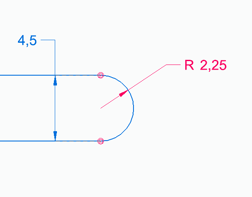
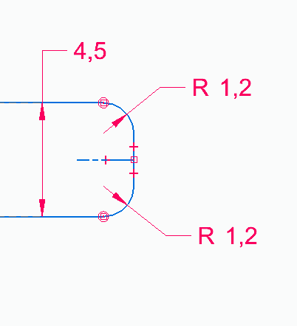
In most cases the corset design is made with a non parametric CAD software, to generate this type of edge using in Autodesk Meshmixer, you can find the video guide (1 - Smooth edges) on this link: Design guidelines
Defect on the edges
To remove defects on edges you can use the following video guide (2 - Imperfection on the edges)
Thicken the edges
To thicken thin edges/ main thickness, you can use the following video guide (3 - How to increase thickness of the edges)
Hole Structure
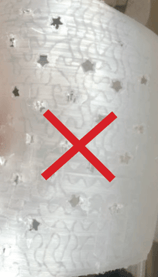
If holes have to be added to the model, those have to be circular or vertical ellipses, ovals or slots.
Avoid horizontal ellipses, ovals and slots, if possible. This would increase the use of support on the print and the need for post-processing.
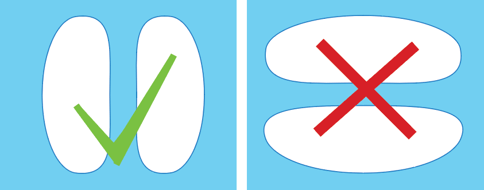
Avoid custom holes like stars, hearts, squares, crosses, etc.
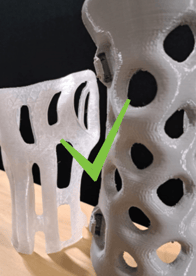
Design blisters or structural ribs
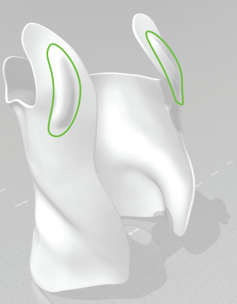
The region of the corset that holds itself to the chest, usually it’s a peninsula close to the clavicle that needs to be fixed in place(for Kyphosis). In some cases increasing the stiffness on the CAM might not be enough, so the suggestion in that case consists of adding a design blister or a structural rib that would provide the necessary stiffness.
Overhang in flexible regions
There are some regions of the corset that the user might use a flexible configuration in the corset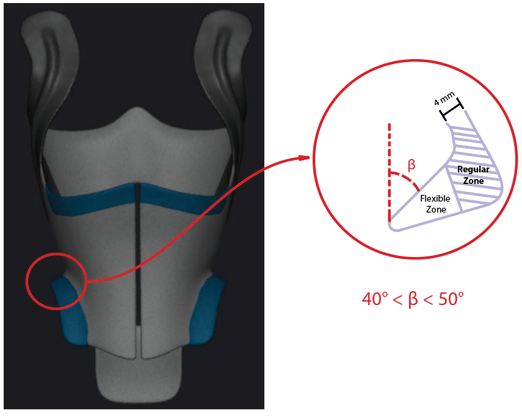
Preparation for CAM
Stiffness map
There are 4 types of stiffness zones that can be partially or totally applied on the corset.
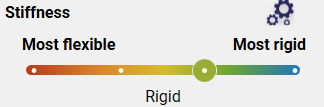
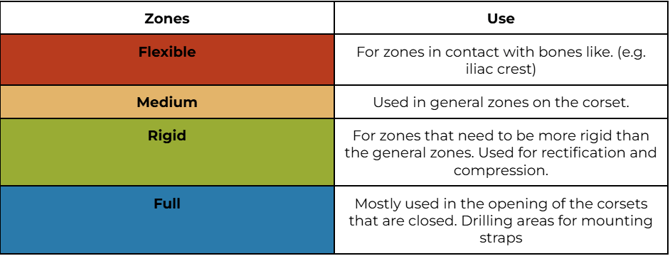
In the pictures below you can see an example of a stiffness map of a corset:
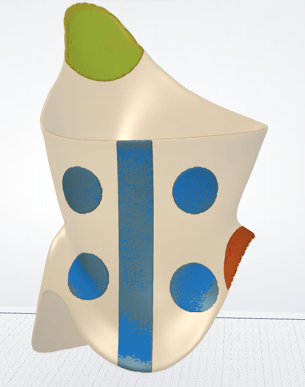
Model and modifiers
The model to be printed needs to be imported in (.stl), (.ply), (.obj) or (.off) formats.
If the model to be printed only use one stiffness zone, the model of the corset and the desired stiffness would be enough to produce it. If there’s no specification Medium will be applied on it.
If the corset to be produced has requirements of different stiffness, modifiers will be needed.
Modifier
A modifier is a geometrical shape that will define the stiffness region by being overlapped with the model, as it’s shown in the picture below:
|
Model Modifiers
|
CAM
|
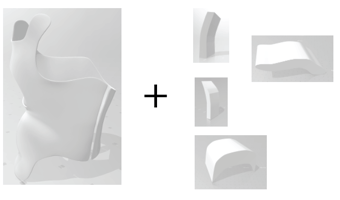
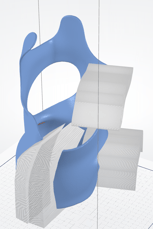
To generate a Modifier in Autodesk Meshmixer you can find a step-by-step video here: How to create modifiers in Meshmixer
The modifiers should be sent with the main model in (.stl), (.ply), (.obj) or (.off) formats, together with the main model.